![method grid favicon.svg]](https://help.methodgrid.com/hubfs/method%20grid%20favicon.svg)
External members are, typically, members from outside your organization; for example, professional service firms often seek to invite their end-clients into their Method Grid account - but only within an access delimited folder or grid. These end-clients are best added as external members. You can learn more about what external members can and cannot do in your account here.
Account architects (admins) can add/manage external members:
-
Click on the Members button in the navigation bar.
-
Next, click on the "Add new members" (+) action button in the action bar.
-
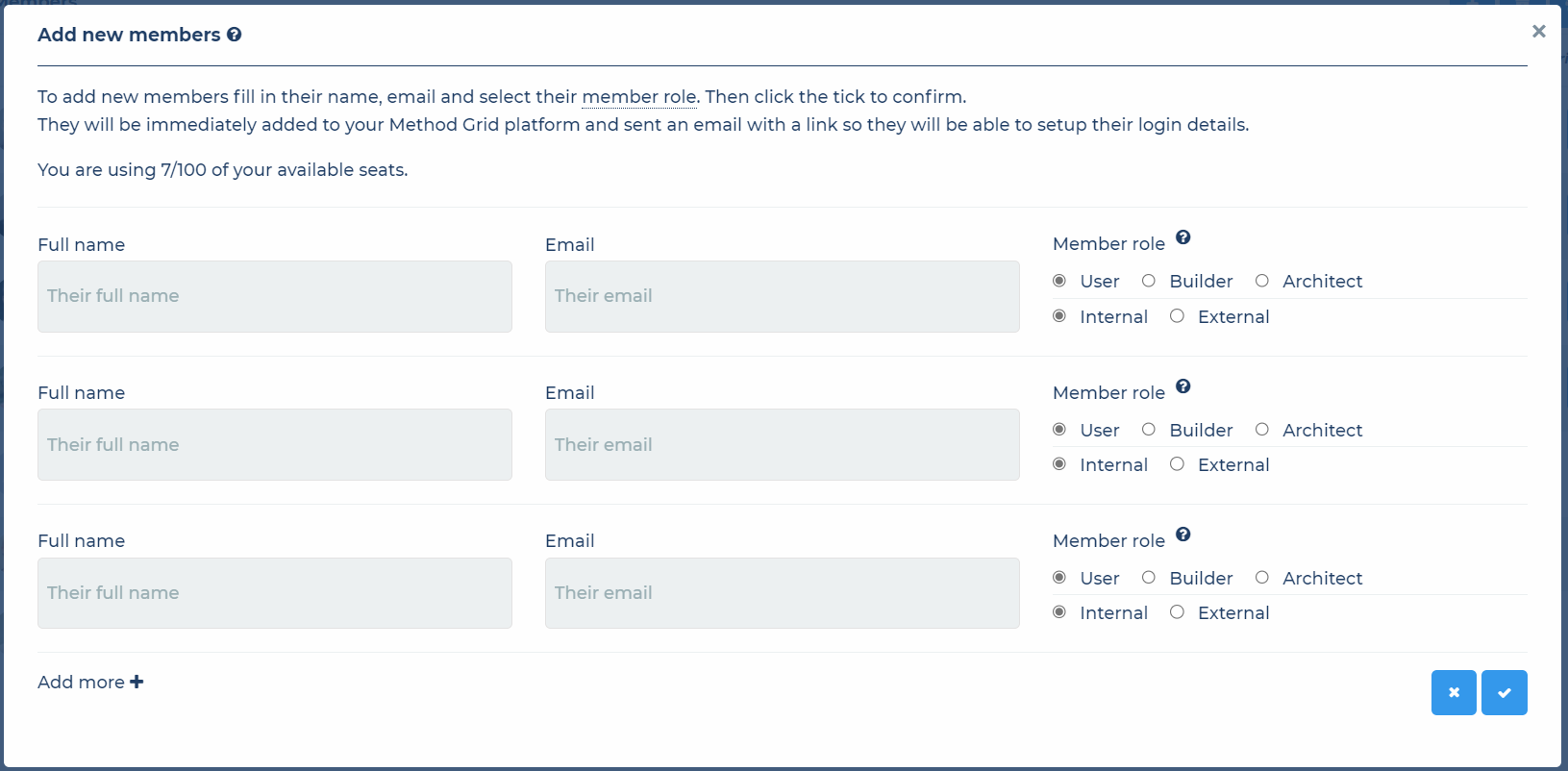
Within the "Add new members" window, add the new external members first/last name and their email address, then select the "External" radio button. You may add as many external members as you require (within your plan seat level). Simply keep clicking the "+ Add 3 more rows" link to get more fields.
-
When ready click the tick button and the new external members will be added to the your Method Grid account.
Each external member added will receive an email with a link so that they can set their password and begin using Method Grid. You can see who has or hasn't logged in, or how active members are via the RAG system that appears against each member.