![method grid favicon.svg]](https://help.methodgrid.com/hubfs/method%20grid%20favicon.svg)
Important note: AI chat is currently only available to certain accounts and team members. If you would like to use it, please contact us.
View Your Chat History
To see your AI chat history, open the AI chat and click on AI assistant chat history:
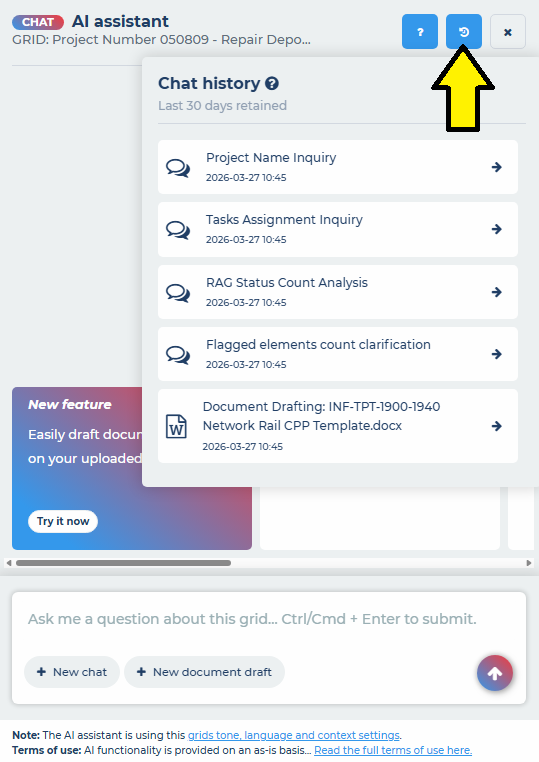
The AI chat history saves all your general AI chats and your document drafting chats for 30 days. After 30 days they are permanently deleted.
The AI gives each historical chat a title based on the chat contents and each is dated and time stamped.
Open and Resume a Chat
To open a previous chat and carry on from where you left that chat, simply click on the chat you wish to open and it will open in the chat interface.